The Power of SVG
SnipSVG is a screen capture and graphics editor that uses SVG vector images as its primary format.
SVG images can be used directly in HTML and many other applications. They give you the same sharp quality at all zoom settings, and unlike JPG or PNG images you can always edit all the elements of the image separately.

SnipSVG for Windows and macOS
Simple, Fast, yet Powerful
SnipSVG is designed to be really simple to use and very fast. Plenty of clever helper functions such as auto-remembered styling and a favorites gallery deliver stunning results with just a few mouse clicks.
When you look a bit deeper, however, you notice that SnipSVG contains a wide range of powerful image editing tools that you don't find in other screen capture applications. Crop screenshots, blur sensitive information, physically resize large photos, add HTML-formatted text.
SVG, SnipSVG's preferred save format, is a vector format that scales seamlessly when zoomed, for example in a web page. It also supports making elements of your screenshots interactive, with scripts and hyperlinks.
My opinion: Awesome work guys! And for technical documentation pretty much the best you can get anywhere right now.
Marc Achtelig, Indoition
SnipSVG features at a glance

Cross-platform
Use on Mac and Windows. Copy between the two when running Windows in a virtual machine.

Screenshotter
Unique screenshot capabilities on the Windows version. Make additive screenshots with diverse components in a single operation.

Integrated
Works hand-in-hand with the Help+Manual® documentation suite.

Shapely
Scores of shapes, arrows and highlighters. Apply shapes to images and rounded corners to screenshots.

Space
Create your pictures on an infinite canvas with plenty of space to breathe in.

Documentation
Create professional annotated screenshots with text, arrows, additional images and more.

Quick Styles
Single-click styling for elements with multiple themes and variants

Communicative
Share your pictures with other applications fast as files and by copying, also between Mac and Windows.

Numbering
Number the steps in your images with auto-incrementing numbering tags.

Zoomable
Added elements and text all have the same quality at all zoom sizes.

Private
Hide sensitive information in your screenshots with pixelate and blur.

Effective
Effects for selected areas include magnifying glass, skew, sharpen, plus drawing and paint effects.
Screenshots
All screenshots on this page were created with SnipSVG and most of them are in SVG format. If you are curious about the SVG images and want to explore them in detail, right-click on a thumbnail and select Open in New Window.

User Interface (Windows)

User Interface (macOS)

Screen Capture Tool

Highlight and Hide Details

Explain with Numbering Steps

Use Share to Copy

Share Function (Result)

Rounded Corners in Screenshots

Adding a callout text bubble

Image Effects Dialog

Image Cropping Tool

Skew Tool for 3D Effects
Sharp and Crisp Details at Every Zoom Level!

Compare 100% and 300% Zoom
Why do we make such a fuss about SVG? Aren't JPG and PNG images good enough?
On a typical Windows PC you might not notice much of a difference. However, SVG makes a huge difference on high-resolution devices: In addition to any device with a "retina" display this also includes high-resolution printouts, PDF files and even web pages on regular displays when the user zooms in.
Tip: SVG images remain editable!
When was the last time you had to modify a screenshot and had to start all over again? Did you wish you could simply correct that typo in a callout?
With SVG you can! Because SVGs are vector images, all the elements within them remain separate and editable.
Not convinced? Give it a try! Download any of the SVG screenshots on this page and open them in SnipSVG. We'd love to see that big smile on your face, when you realize they are editable :-)
Clever and Practical Details
If you ask us "Why would you prefer SnipSVG over another tool?", we'll answer: because of the many clever details!
|
Rounded Corners in Screenshots |
Here is one example of many: The image crop tool in SnipSVG helps you apply rounded corners. Makes Windows 11 and macOS screenshots look tidy, even when you did not capture the picture with SnipSVG. So simple yet perfectly efficient! |
|
Share Function in SnipSVG |
One more? In technical documentation, we often need to describe parts of a screenshot in order. With the auto-incrementing numbering tags in SnipSVG you can do this with a couple of clicks. The smart Share function in SnipSVG doesn't just copy your image. It can also add a reference table below the image, generated from your numbering tags, complete with texts. This saves you plenty of time when you're writing documentation. You can use the Share function with most HTML editors, word processors and, of course, with our own documentation tool Help+Manual. |
From Still Image to HTML Presentations
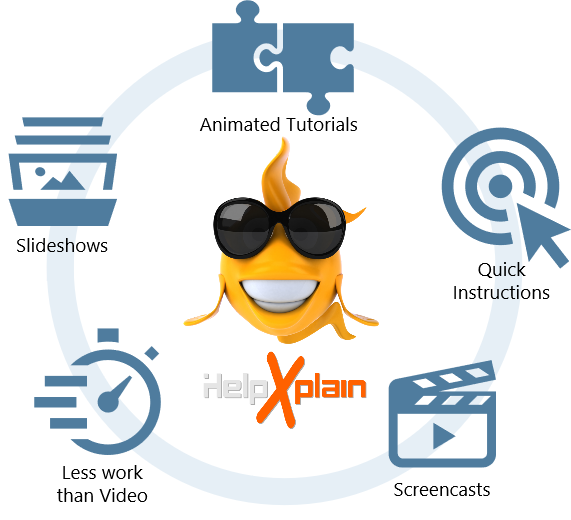
SnipSVG is free and available for both Windows and macOS. It's a must-have for every IT worker on both platforms.
But it does not end here. SnipSVG and our full featured HTML presentation tool HelpXplain are close siblings and understand each other perfectly well.
So, whenever you are ready to take the next step, get HelpXplain and turn your SnipSVG images into animated HTML presentations.
Download SnipSVG
SnipSVG is a free tool for private and commercial use!
Download your copy today:


Version: 1.2 Build 341 (Release Version)
Last Update: March 26, 2024
Release notes
System Requirements: Windows 11, 10, 8, 7 (32/64 bit) | macOS 11 Big Sur or later (Intel/Apple Silicon)
Installation: Installer supports portable installation
End User License Agreement: Free Software License
Reviews
SnipSVG has been reviewed by and is listed on:


